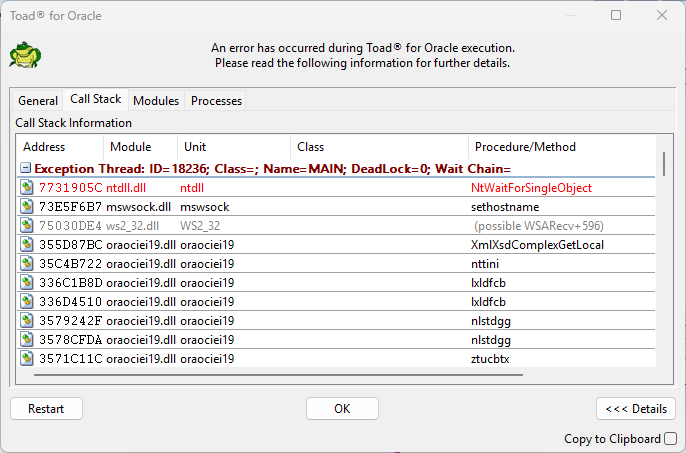
Toad for Oracle - versus 25.1.20.5192 on Windows 11 - 10.0.22631
My session is going into “not responding” every few minutes as I am simply trying to click around to edit a PL/SQL or SQL code. I am not attempting to compile or execute query, but simply trying to edit my code.
I have updated my Toad options to turn OFF ALL code assist activities so I don’t know what Toad is thinking about to go into “not responding”. I don’t want it to take ANY action or do any thinking until I attempt to compile the code or run SQL statement. It would be nice to have “Syntax check” turned on or “enable parameter assistance” but I have them turned off because Toad is already close to un-usable.
What else can I do to make Toad stop going into “Not responsive” on a constant basis through code editing?